Perfecto Mobile Introduces Full-Featured, Non-rooted iOS Mobile Testing in the Cloud

Hi

I wanted to share with you a fresh announcement from Perfecto Mobile.

Today Perfecto Mobile announced its new technology solution aimed for iOS mobile testing.

This solution enables full-featured remote iOS iPhone and iPad testing in the cloud that is 100% transparent to the device under test with no device rooting (jailbreaking).

With this enhanced and complete solution Perfecto is now able to support any iOS device or version in the MobileCloud(TM) without having to jailbreak the device.

The MobileCloud users can remotely work on any iPhone or iPad, running any iOS version, operating in various carrier networks around the world.

The solution uses a complete non-jailbreak approach with the following benefits:

  • Full device control over native application, web based services and pre-installed iOS applications as well as full springboard control via the cloud with digital video support
  • Remote manual and automated testing, as well as real-device monitoring
  • Fast time-to-market for iOS apps and services with maximum quality and device coverage

NonJBScreenShot_iPhone5_OCR

Figure 1: Perfecto’s new iOS testing solution for native applications using OCR

For the full press release, please refer to this URL (LINK)

Thanks,

Eran

Best practices for iOS mobile application testing

Hi

iOS changed the mobility game, no doubt about it. It paved the way for the ‘mobile era’ by offering amazing functionality with a simple user experience.  However when it comes to testing and monitoring, working with the iPhone/iPad mobile application can be anything but simple…

As the iOS app market continues to produce record growth, challenges and complexities surrounding iOS application testing also continue to interfere with development. A key challenge of iOS testing is that, unlike the open-source Android OS, Apple iOS is a closed operating system. Added complexity during the development and testing stages arises with a closed system, since users can’t extract necessary data from low level objects, which are essential for test automation. So, what’s the best approach for getting the necessary level of access to the iOS device – rooting (jailbreaking) or compile-time source instrumentation? Should you base your testing on native objects or OCR-based screen analysis?

Let’s take a deeper look into some of these challenges and why a cloud-based hybrid approach is important to offer developers and testers the necessary coverage, capabilities and flexibility to deliver better iOS apps and deploy them with confidence.

Rooting (jailbreaking) vs. Source Instrumentation (compile-time)

There are two common methods used today in the mobile testing industry to address this challenge (i.e. access to the low level objects): rooting (jailbreaking) and source instrumentation (i.e. compile-time solution).

Jailbreaking refers to the process of removing the limitations placed by Apple on the iOS device in order to get low level (root) access to the operating system. This allows the tester to be able to recognize the objects within the application being tested.

Source Instrumentation is performed by compiling the application being tested with an additional piece of code that provides access (“back door”) to the low level OS for object recognition. This code enables the tester to execute the low level calls and get the Object ID’s from the operating systems (without the need to root/jailbreak the device).

The decision as what approach to adopt strongly depends on several considerations (below are just few):

1)    The used SDLC process

2)    Corporate policies

3)    Application under test

4)    Frequency of testing

Perfecto Mobile provides its end users with the freedom to choose what fits them best, while taking into consideration the advantages and disadvantages of each approach. When customers need to quickly test either a new iOS version or a new iOS device, the jailbreaking approach is less suitable. In such a case, the compile-time method is preferable – even though it complicates the SDLC by introducing additional code to the application being tested.

On the other hand, using a jailbroken device lets you test the application with the exact code by which it will be released (compile-time mandates that before store submission, you will remove the “back-door” or be exposed to serious security issues). This eliminates the need for compilation and intrusive operations which could potentially pose a risk to quality. Companies using a compile-time approach should also consider possible regulations (such as HIPAA) which enforce testing on the final binary (and not on debug version, test friendly version, etc.)

The combined (hybrid) approach lets you choose which type of tests to implement on which iOS device according to the nature of your application, project needs, and policy. When the test devices are deployed and securely managed in a “private cloud” (such as that offered by Perfecto Mobile), such a configuration guarantees that the jailbreak method does not introduce any risks or abuse of the platform for non-testing purposes. The jailbroken device is used only for testing purposes in a closed and secure testing environment. This is analogous to the use the way iOS devices used for development have a “developer signature,” as well as the way Android devices used for development have more levels of access than those required during the normal ALM cycle.

The Need for a Hybrid Approach to Object Recognition

Testing a mobile application requires strong object recognition capabilities. The use of visual analysis might not be sufficient, for example, the OCR technology can detect UI issues and glitches on the test devices, but cannot ensure 100% accuracy due to its heuristic nature. On the other hand, low level objects might “miss” the obvious qualification that a visual analysis can easily detect. That’s why a hybrid approach incorporating both visual and Native object analysis is imperative for covering all mobile business cases. Such an approach is supported by Perfecto Mobile.

Object level analysis vs. Visual analysis

This screenshot above shows the differences of using an object level analysis as opposed to visual analysis (object level analysis would not have detected the overlapping of the button on the text).

The Perfecto Mobile Approach: Go Cloud, Go Hybrid

Perfecto Mobile’s experience as a market leader has taught us that the best approach is to present each customer with all possible alternatives making them available inside the cloud.

Real devices + emulators (in the cloud),  OCR screen analysis + OS level native objects (in the cloud), rooted/jailbroken device + non-rooted/jailbroken devices (in the cloud)

With hundreds of thousands of automation hours running every month on our platform, we are well-positioned to suggest and guide, but not to “judge” what’s best for everyone…

Perfecto Mobile hybrid object support on a rooted android and a non-jailbroken iPhone

Regards.

Eran Kinsbruner

Jamo automation solution

Hello

In this short post, i will shortly give a taste about Jamo Solution – Mobile test automation solution

As you know, the mobile market is growing rapidly and so are the solutions.

We described in earlier blogs some of the players in the mobile automation and cloud, and one of them is JAMO

http://www.jamosolutions.com/

Jamo provides unique mobile automation to the various mobile platforms on a non jail break or rooted handsets (Android, iOS, Windows and BlackBerry). The solution is based on plug in which is installed on the leading IDE’s (eclipse, QTP, Visual Studio) which communicates with a Jamo device manager component on the PC, and a small agent which is running on the target device and allows the real objects recognition per platform. The add on allows to record/replay and get the GUI objects from each target device (real object) to be used on your automated script. The solution is secured per each customer. For governance, near army institute, banking and secured applications this is the solution of choice according to the company spokesman.

The solution was well proved and used with customers, and is being deployed globally by various partner and integrators which works with Jamo which is located in Belgium & Switzerland

For more information you may contact the representatives, and get the trials/demos and more

Good Luck

Eran

Latest news from the mobile world

Hi,

In the last couple of days and with the new iPhone5 announcement i wanted to gather the main highlights in one place 🙂

  • iPhone 5 (http://www.apple.com/iphone/) which was announced shall be available next week together with a possible launch of the new iOS6!
  • Details around the app store applications –> Total of 700,000 apps available in AppStore, while ~250,000 also ported to iPad
  • battle in the mobile world continues, and few great smartphones put themselves as leaders and competitors to the new iPhone 5:

** HTC One X – http://www.htc.com/www/smartphones/htc-one-x/ (4.7” Screen)

** Samsung Galaxy SIII – http://www.samsung.com/global/galaxys3/ (4.8” Screen)

** LG Optimus G – http://reviews.cnet.com/smartphones/lg-optimus-g-unlocked/4505-6452_7-35427825.html (4.7” Screen)

** Motorola Razr Maxx HD – http://www.engadget.com/2012/09/05/motorola-droid-razr-hd-maxx-hands-on-bigger-battery-beautiful/ (4.7” Screen)

** Sony Xperia S – http://www.gsmarena.com/sony_xperia_s-4369.php (4.3” Screen)

** Nokia Lumia 920 – http://www.nokia.com/global/products/phone/lumia920/ (4.5” Screen)

Eran Kinsbruner

Windows Phone 8 handsets are starting to pop out

Hi,

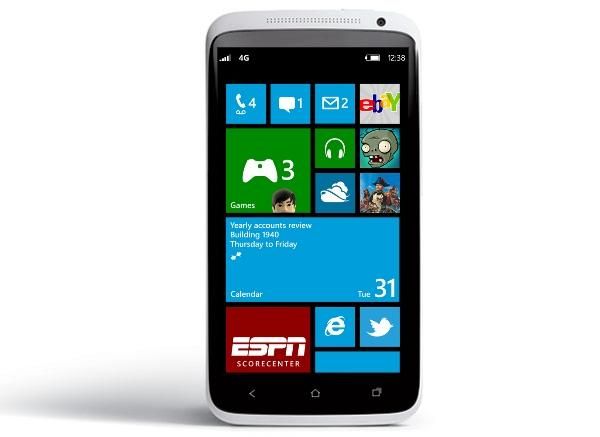
As many anticipated, we are starting to see more and more investment in the new Windows Phone platform, by many OEM’s and not only Nokia which is collaborating for a while with Microsoft.

In this short post, i will list the new upcoming Windows Phone 8 phones which you will soon start to see.

HTC:

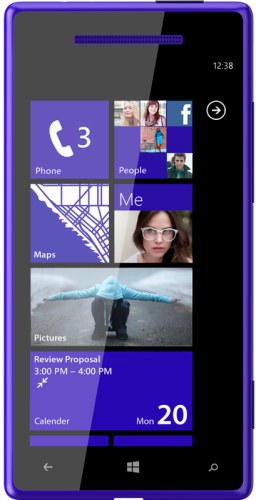
HTC is announcing the launch of its new Windows Phone 8 phone called HTC Accord.

The phone comes with a 1.5 GHZ dual core SnapDragon processor, 4.3 ” Screen, 8 MP camera, External microSD card, NFC support, as well rumors says that the phone will have support for LTE communication.

Read more at: http://www.htcaccord.com/

Samsung:

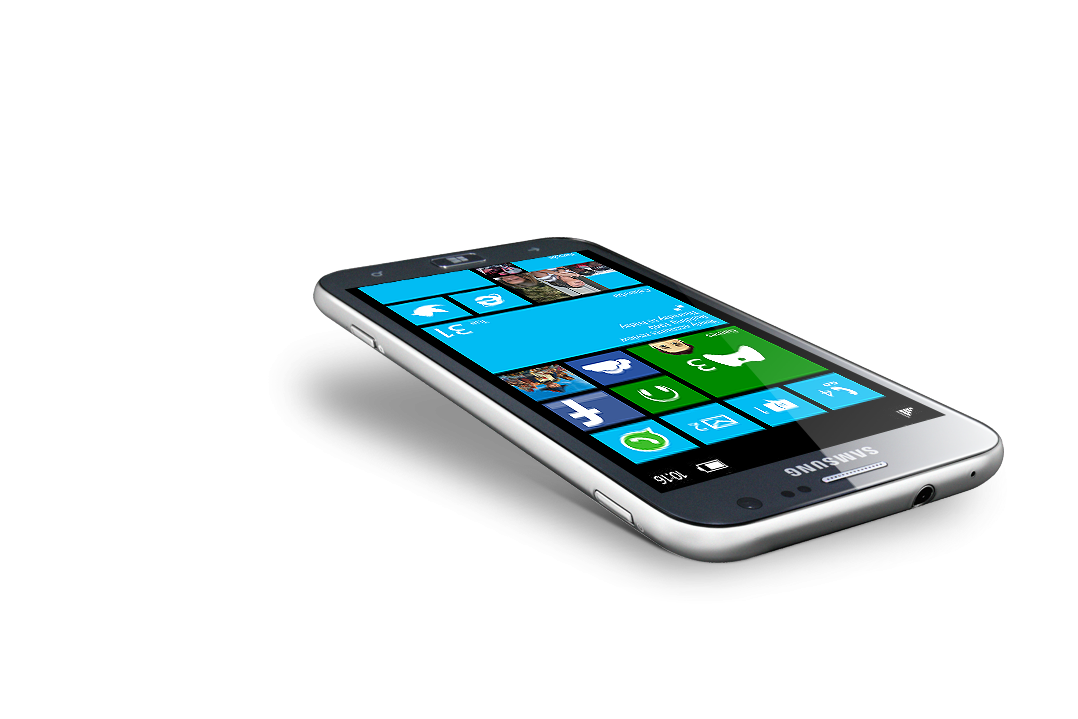
Samsung announced its new ATIV-S Windows Phone 8 phone with the following characteristics: Super AmoLed 4.8 ” Screen, 1.5 GHZ dual core processor, Full HD 8 MP rear camera, with a 1.9 MP front camera. support for an external MicroSD card (which is new in the WP platform) and NFC support!. The phone which is running the WP8 will support Internet Explorer 10 browser, Mobile Office suite and the new cloud storage service SkyDrive.

The ATIV brand actually starts a new line of products by Samsung for WP8 (ATIV Tab 10.1”, ATIV Smart PC and more)

Read more at: http://www.samsung.com/global/ativ/ativ_s.html

Nokia:

Nokia which is of course the WP platform pioneer, is also announcing on 2 new phones running WP8 called Nokia Lumia 920 and Nokia Lumia 820.

The Nokia Lumia 920 will come with a 4.5” screen, and the Nokia Lumia 820 with a smaller screen of 4.3”

The news around these 2 phone is about their support in the new PureView camera technology, which for these 2 phones will give a 21 Mega Pixel support.

Read more about these 2 new handsets at: http://www.theverge.com/2012/8/31/3281985/nokia-lumia-920-specs-pictures-leak

http://www.engadget.com/2012/08/31/nokia-lumia-820-920-leak/

Summary:

As I always state, the mobile world is dynamic and constantly changing, and we are already seeing that even for the new Windows Phone platform the biggest OEM’s are starting to dive in so it will be interesting to see how such change impacts the mobile market, and the existing iOS/Android and the RIM platforms.

From testing perspective we also see variety of new screen sizes which was and will always be a challenge for testers and test automation (Above we mention already 4.3”, 4.5”, 4.8”). Tablets for WP8 as you saw above are also starting to be deployed extending this platform market.

Regards,

Eran Kinsbruner

Cross browser comparison (Focus on iOS)

Hi

It is a fact that more and more hybrid/web application are being developed lately, HTML5 applications and more

The common assumption by the application developers is that since it is a web application is will run cross platform without too much effort/QA and UI activities.

It might be true in some cases (simple ones), however on top of the complications in testing web application, we must not forget that each app need to be compliant to iOS and Android UI guidelines (icons, fonts etc.), and also important point to keep in mind is – The cross browser compatibility.

Each user (Android or iOS and soon Windows Phone) may chose the prefered browser which he likes to surf through and use. THat user will not change his browser and will expect that “your” application will run top-notch on his preferred browser.

In this post i will not cover all existing iOS browsers (nor android), but the top leading ones – My recommendation is to prepare similar matrix of testing for the existing web browsers for mobile and perform at least some level of sanity on each to assure your application works properly and also meets the desired guidelines.

For iOS we are familiar with the following browsers (The below iTunes URLs for downloading each:

– Safari (THe most common and default browser)

– Chrome (Google) – http://itunes.apple.com/us/app/chrome/id535886823?mt=8

– Dolphin – http://itunes.apple.com/us/app/dolphin-browser/id452204407?mt=8

– Opera Mini – http://itunes.apple.com/us/app/opera-mini-web-browser/id363729560?mt=8

– Mercury – http://itunes.apple.com/us/app/mercury-web-browser-most-advanced/id331012646?mt=8

Please see below some screenshots of the exact same web page (BBC News) which is a high quality web site being run on the above browsers (Not too much difference which is good news :), however there are some L&F differences – for other apps i am sure that the situation will be different)

Safari Browser:

Google Chrome:

Mercury Browser:

Dolphin Browser:

Opera Mini:

Not to forget that the above if appears quite different from one browser to the other will introduce additional challenges for the automation team.

To sum up, mobile known matrix of devices and os will also extend toward mobile

Browsers per platform, a vital thing to cover which will also complicate automation.

Good Luck

Regards,

Eran